

There’s a growing chorus that says AI is making us stupider. That we’re outsourcing our thinking, losing our edge, becoming intellectual couch potatoes who can’t write a paragraph or make a decision without asking a chatbot first.
I get it. And honestly? There’s some truth in there. If you use AI as a crutch, it will absolutely atrophy the muscles it replaces.
But that’s not what I’ve been doing. Over the past couple of years, I’ve been experimenting with AI almost every day, and the six things that stuck aren’t the ones that think for me. They’re the ones that give me back time, save me money, and in one case, genuinely made me a sharper thinker.
Here’s what actually works.
1. Travel Planning That Doesn’t Fall Apart on Day Three

I travel a lot for work and for the occasional family holiday. The work trips mostly take care of themselves, but family trips? Those take serious planning and logistics, especially with three kids and competing wishlists.

I now create custom projects inside ChatGPT for every major family trip. I load in all the context upfront: dates, preferences, dietary needs, budget, the kind of experience we’re after, what the kids will actually enjoy versus what they’ll complain about for the rest of the holiday. Then I use that project as a living travel companion, not just for planning, but for adapting on the fly.
Plans changed in New York? Ask it to rework the afternoon. Raining on the day you’d planned for Central Park? Get three indoor alternatives in 30 seconds, tailored to what you’ve already told it your family likes. The key is giving the AI enough context that its suggestions are actually relevant to you, not generic “top 10” tourist traps. It’s the difference between a personal concierge and a guidebook from 2019.
2. Vibe Coding (Without Actually Knowing How to Code)

I don’t code. Let me get that out of the way. But I’ve started using AI to build small tools that don’t exist anywhere else, and it’s one of the most unexpectedly useful things I do.
The best example: I wanted a visual world map that colour-codes every country I’ve visited, split by work trips, family holidays, and solo adventures, plus a bucket list layer for places I still want to go. Nothing off the shelf did exactly this. So I described what I wanted to Google Gemini and iterated until it worked.
It now exports as an image, generates text lists, and I can import previous data from a simple text file to avoid starting from scratch each time. Every feature was added by describing what I wanted in plain English and refining the result.

People call this “vibe coding.” I call it describing what you want and being specific enough that the AI can build it. You don’t need to understand the code. You need to understand your problem clearly enough to explain it.
A word of caution though. The tools are getting incredibly capable (Claude Code, Gemini, ChatGPT Codex), and for simple projects like mine they can often nail it in one shot. But the more complex the project gets, the messier the code becomes, and when you can’t read the code yourself, troubleshooting gets frustrating fast. Even experienced developers are wrestling with this. For now, my advice: keep it simple, be very specific about what you want, and iterate in small steps rather than asking for everything at once.
3. The One That Made Me a Better Thinker

Here’s where I push back on the “AI makes you dumber” crowd. If anything, this one does the opposite.
I’ve been increasingly using AI not to give me answers, but to interview me. To ask me hard questions, poke holes in my logic, and force me to articulate what I actually think before the AI writes a single word.
A couple of recent examples. I used Claude Cowork to conduct a deep interview that captured my own writing style (the document that’s now used to help AI write in my voice). What made Cowork particularly effective here is that instead of the usual back-and-forth chat, it has a way of locking onto a task and going at it relentlessly until it’s genuinely complete. The process forced me to articulate things about how I write that I’d never consciously examined. It was like a mirror, but one that kept asking “why?”
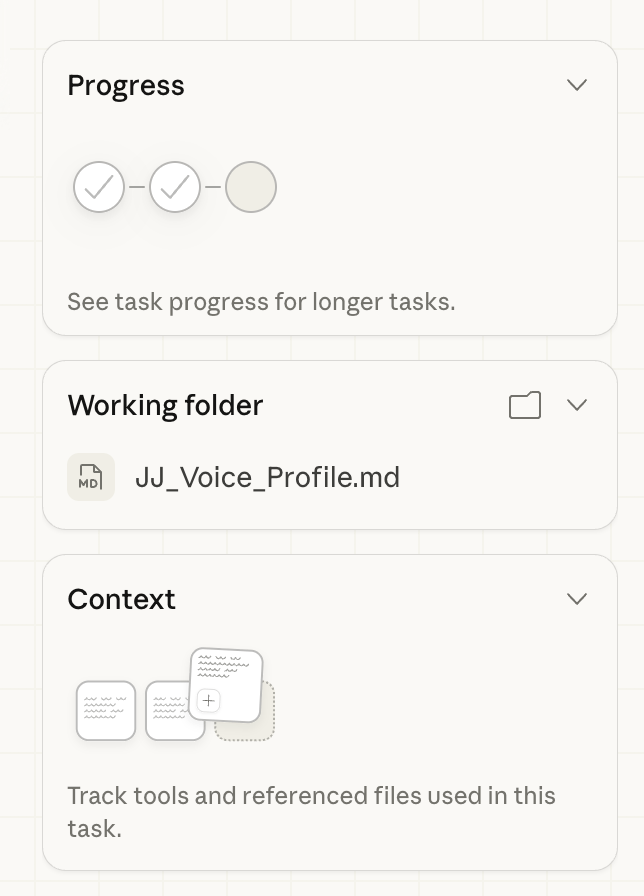
In another case, I had the seed of an idea for an article but it wasn’t fully formed. Instead of asking AI to flesh it out, I had it interview me. It pushed, challenged, asked follow-up questions, and by the end, I had a much clearer picture of what I was actually trying to say. The AI didn’t do the thinking. It made me do better thinking.
This is the use case that gets overlooked in all the hype about AI productivity. Yes, it can write your emails and summarise your documents. But used as a sparring partner rather than a ghostwriter, it can genuinely sharpen how you think. That, to me, is worth more than all the time savings combined.
4. Deep Research That Saves Real Time and Money

Most AI tools used to be pretty bad at research. Hallucinations, outdated information, confident nonsense. But the Deep Research features on ChatGPT, Gemini, and Grok have changed the game for me, specifically for tasks where the stakes are low enough that I don’t need to verify every detail personally but high enough that I want quality results.
Three examples that have become routine:
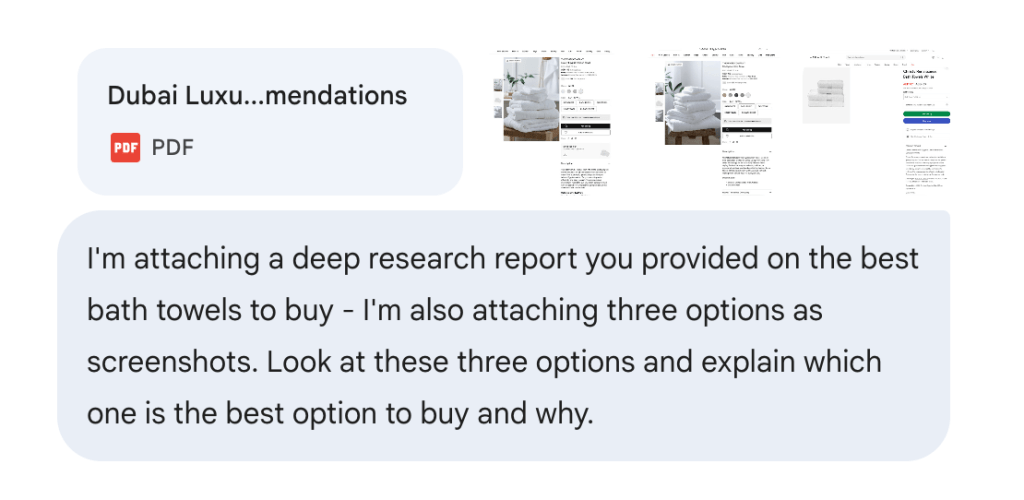
Product shopping. I needed new towels for the house and wanted hotel-quality without the hotel-procurement budget. Honestly, it was a low-stakes decision I couldn’t be bothered to spend personal time on, but the results still mattered. So I ran the same brief through three different Deep Research tools and picked the common recommendation across all three. Total time: about 15 minutes. The towels? Actually excellent.
Finding comfort food in a new city. After a long work week somewhere I don’t know well, I can have it go off and research the best vegan ramen spot within walking distance of my hotel. Context is everything here. The more specific you are about what you want and why, the better the results.
Work research. At work, I use Copilot to dig through emails and files to build context on a project or question I’m tackling. I can point it at specific sources and get a useful synthesis in minutes rather than hours. This one alone probably saves me an hour or more every week.
5. The ChatGPT App That Fixed My Music Problem

I’ve been sceptical of ChatGPT plugins and apps since the early days. Most of them felt like demos looking for a problem. But the Apple Music integration genuinely surprised me.
Here’s my problem: I’m locked into the Apple Family ecosystem and Apple Music, even though I know Spotify often does a better job of music discovery and curation. I couldn’t be bothered to manually create playlists and Apple’s own recommendations were pretty average at understanding my actual taste.
My workaround: I fed ChatGPT screenshots of my most-listened-to music across different genres and moods. It studied my preferences, and then using the Apple Music app, created custom playlists that appeared automatically inside Apple Music, ready to download and listen to.
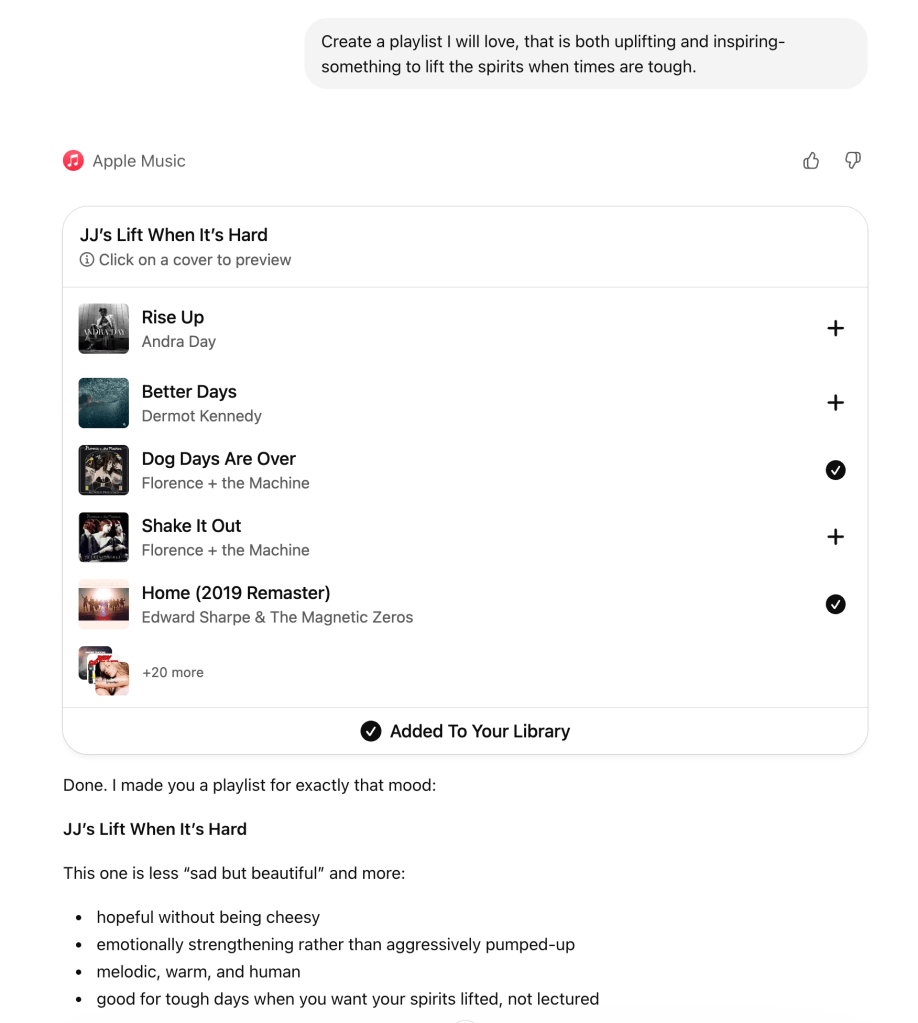
The results? I’ve genuinely discovered artists and tracks I now listen to regularly. It solved a real problem I’d basically given up on. Sometimes the most useful AI applications are the ones that fix small, specific annoyances you’ve learned to live with.
6. The Email Overhaul That Freed Up My Week

This one’s less glamorous but it might be the biggest time saver of all.
For years, I meticulously filed emails into hundreds of folders. It made retrieval easy but cost a surprising amount of time and created massive storage issues. When I finally moved from a PC to a Mac at work last year, I made a radical decision: I gave up all my old PST archives, accepted just a year of history from retention policies, and ditched my entire folder structure.
Now I use four folders. The inbox is purely for processing new emails. Important action items go into an Action folder. Lower priority items I need to review go into Read Later. Everything else goes straight to Archive.
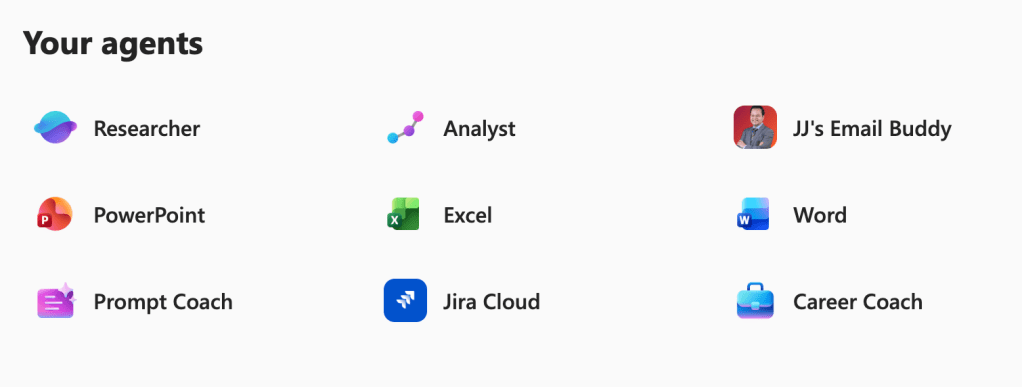
The time savings have been significant. Plus, now that everything lives in the cloud, it’s all available to Microsoft Copilot, which means I can search, summarise, and pull context from communications in seconds. I’ve set up custom agents too, including SharePoint agents for knowledge retrieval, Researcher to find content from specific sources, and one that rewrites my email drafts in my own tone of voice so I spend less time wordsmithing and more time on the work that matters.
It sounds boring. It is boring. And it gives me back a couple of hours every single week.
The Real Point
The people warning that AI will make us lazy aren’t completely wrong. Used mindlessly, it will. If you default to “write this for me” and never engage your own brain, you will get duller over time. That’s not the technology’s fault. That’s a choice.
But there’s another choice available. Use AI to handle the stuff that drains your time without enriching your thinking. Use it to build things you couldn’t build alone. And occasionally, use it to challenge you, push you, and force you to think harder than you would have without it.
Six things. Three to four hours a week reclaimed. One brain that’s sharper than it was a year ago.
Not bad for a tool that’s supposedly making us all stupider.
Discover more from Hotelemarketer by Jitendra Jain (JJ)
Subscribe to get the latest posts sent to your email.
 Hotelemarketer by Jitendra Jain (JJ)
0 comments on “6 Ways I Actually Use AI Every Week (Including One That Made Me a Better Thinker)”