
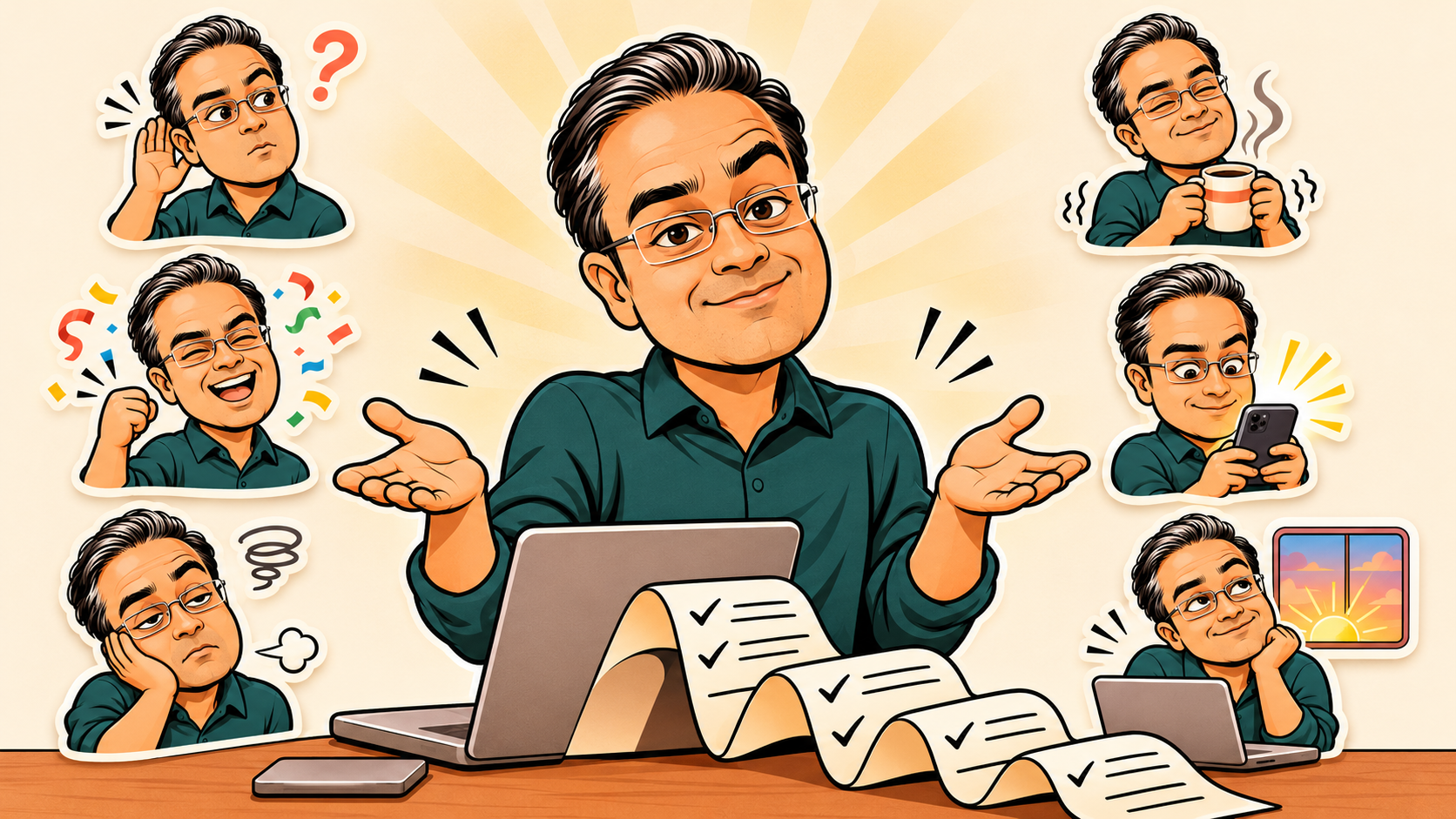
ChatGPT can now make GIFs. Here is my scorecard, a lesson that separates the keepers from the flops, and copy-paste prompts to make your own.
For years, I have relied on strangers on the internet to express my feelings.
A man blinking. A woman backing away. A dog sitting calmly in a room that is demonstrably on fire.
They have served me well. But none of them wears my glasses, and I felt this was a gap in the market.
So this Saturday, I turned myself into a reaction GIF. Then six more.

I have rarely felt so accurately represented by so few frames.
The new trick
In April, I put my AI alter ego on magazine covers and into several situations nobody needed to see. This week, ChatGPT’s Images 2.6 update added GIF creation: prompt or photo in, animation out, with frame-by-frame editing.
It is rolling out gradually. In my session, asking for a GIF produced a neat set of drawings and zero movement.
So I did it the old-fashioned way. Get all the frames in one image, cut them up, decide the timing. The machine supplied the drawings. The timing still needed a human.
The scorecard
Seven feelings. Same character, same recipe.
Worked: One Tiny Change. (Clear escalation, the deadpan stare is held long enough, clean reset.)
Approved. (Confetti and fist pump read instantly.)

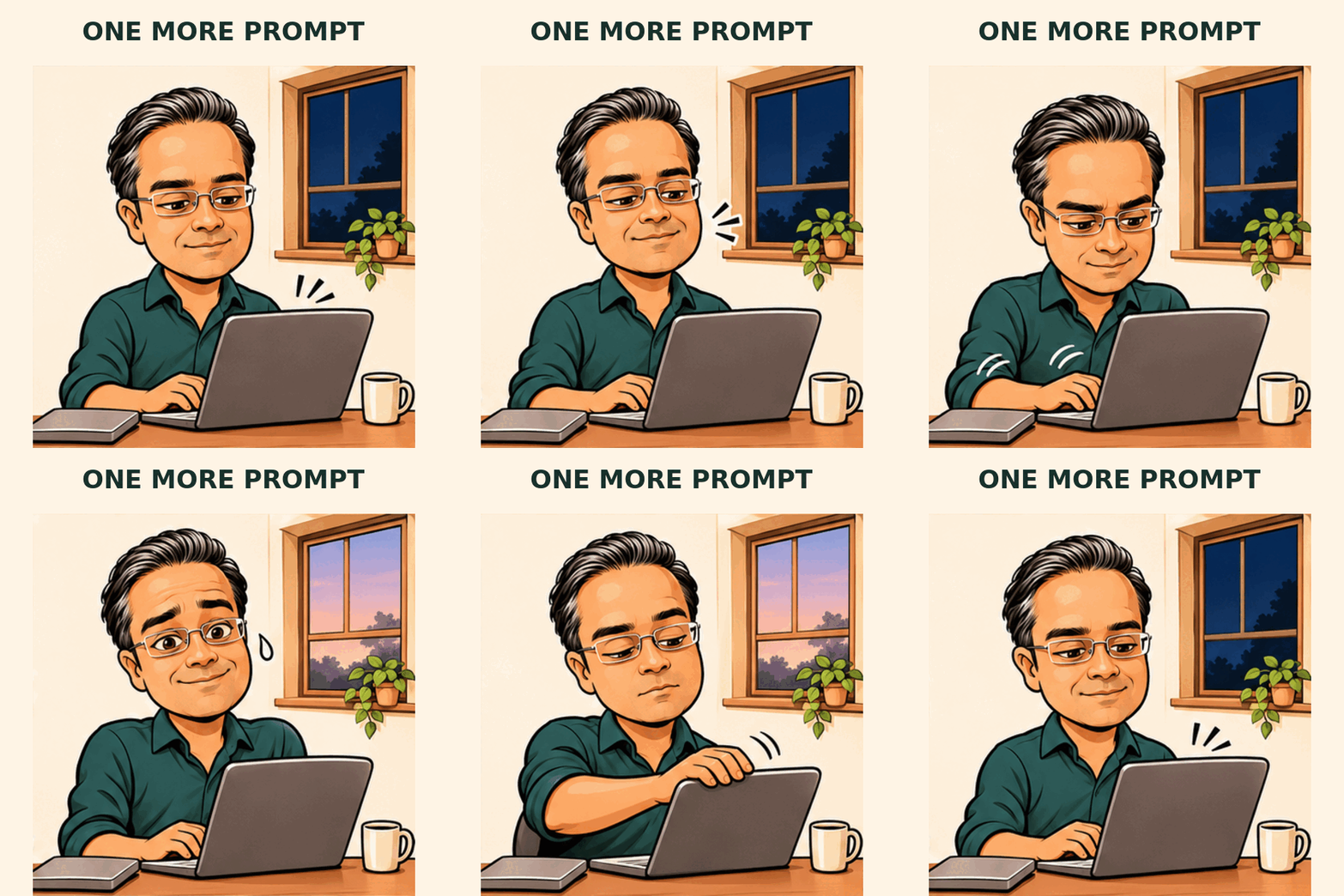
One More Prompt. (The dawn reveal and sheepish look land.)
Sort of: You’re On Mute. (I asked for a finger pointing at the mouth. I got a cupped ear. Honestly, an improvement.)

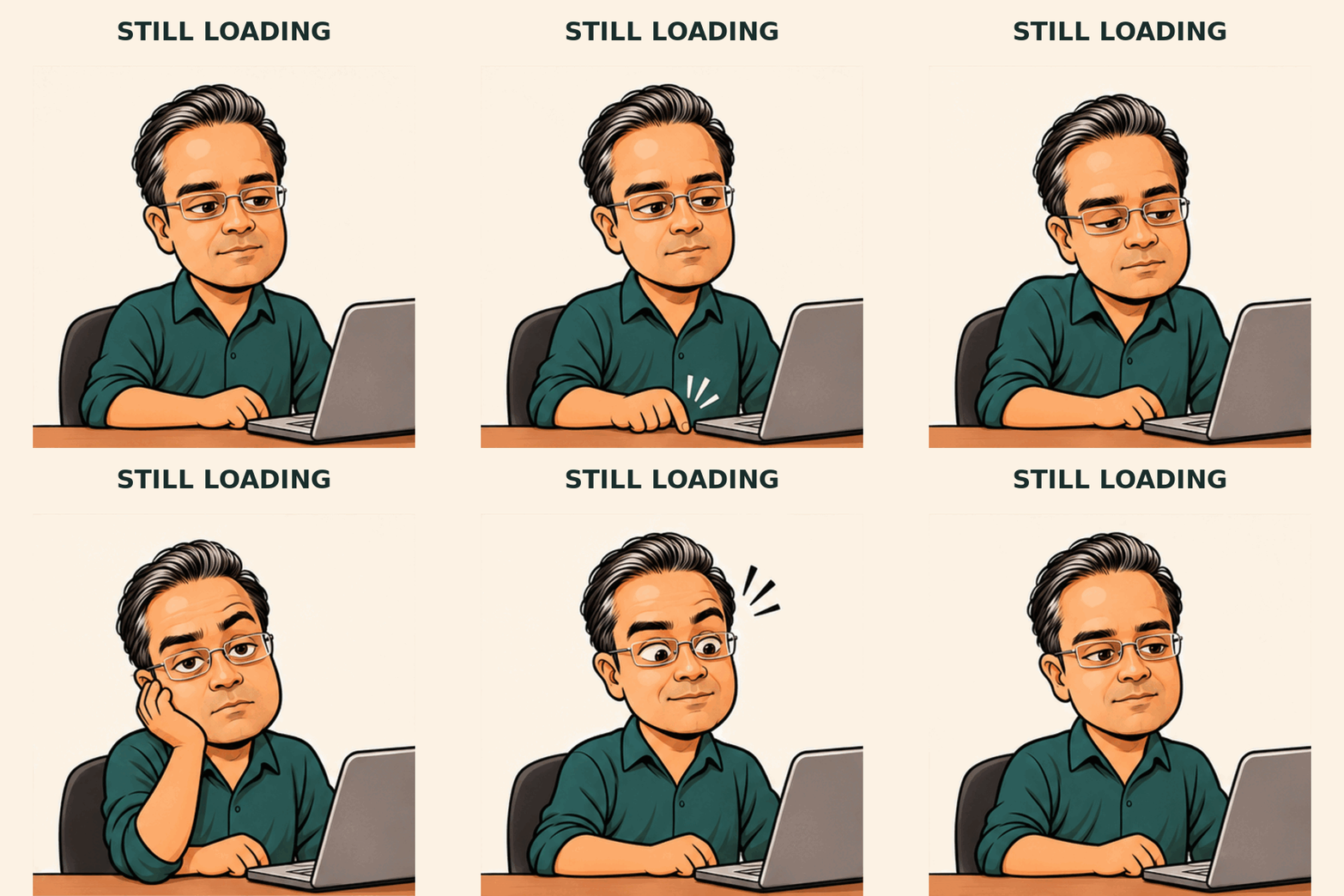
Still Loading. (The laptop screen faces away, so nothing says “loading”. The caption does all the work, and the head shifts between frames.)
Flopped: I’m Fine. (My favourite flop. The idea: a fixed smile while the coffee cup trembles. The result: a man calmly enjoying a coffee.)

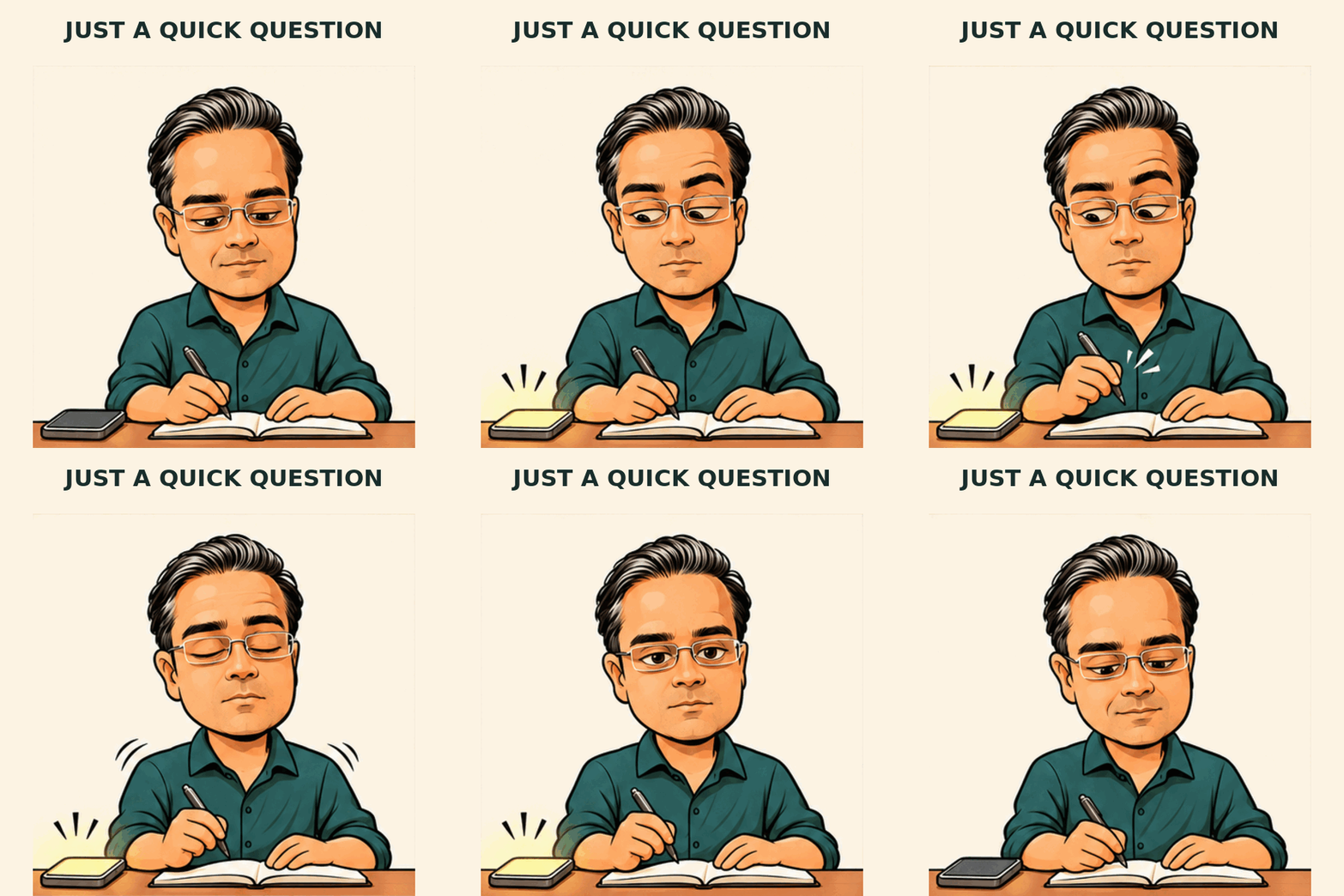
Just a Quick Question. (The phone glow is a small blob in the corner and the side-eye is too subtle.)
The lesson: a prop and a stare
Every GIF that worked had two things. Something that changes dramatically: a paper avalanche, a burst of confetti, the sun coming up. And a long look straight down the camera.
Every flop was missing one. The tremble was too small to see on a phone. The loading screen faced away from the viewer. The buzzing phone was a glowing smudge in the corner.
Reaction GIFs get watched at thumbnail size, on loop, for about two seconds. Subtle is a luxury.
Then hold the stare for close to a second. That pause is where the recognition happens.
Make your own
1. Cast yourself. Attach a photo of yourself, or someone who has agreed to this.
Using the adult person in the attached photo as an identity reference, create one recognisable illustrated character for a reaction GIF series. Preserve their skin tone, face shape, hair and distinctive features, including glasses if present. Bold dark outlines, simple flat colours, minimal cel shading, a slightly oversized head and expressive eyebrows. Clearly drawn, with no photographic skin texture. Medium shot, facing the viewer, plain [COLOUR] shirt, warm cream background. Hands simple and fully visible. One character only. No text, logos or other people.
Save the version you like and attach that image every time. Generating fresh from your photo for each GIF is a good way to discover you have seven cousins.
2. Ask for a sprite sheet. All nine frames in one image, like a tiny flipbook laid out on a table. Paste this, then a scene prompt from the pack at the bottom.
Create a square animation sprite sheet: exactly nine equally sized square frames in a precise 3 × 3 grid, read left to right, top to bottom. No borders, gutters, numbers or text. Same illustrated character in every cell, with identical scale, fixed camera, clothing, lighting and background. Keep the head and stationary objects in the same position in every cell. Only the described action changes, and the key change must be big enough to read at thumbnail size. Frame 9 should closely match frame 1 so the animation loops. This will be cut into separate frames, so the grid must be perfectly regular.
The strict grid matters. My first attempt had a lovely comic layout and precisely the wrong geometry for cutting up. Excellent comic. Terrible flipbook.
3. Check before you cut. Equal cells? Character staying put? Fingers and glasses present in their original quantities? If the character drifts, simplify the action. Faster playback will not cure a migrating ear.
4. Assemble.
Split this sprite sheet into nine equal frames, left to right, top to bottom. Build a looping animated GIF without redrawing or smoothing anything. Use about 0.2 seconds per frame, hold frame 1 for 0.5 seconds and the main reaction for 0.9 seconds. Add the caption “[CAPTION]” in a band above the artwork, identical in every frame. 600 × 600 pixels, under 1 MB. Confirm the frame count and length. If you can’t process files here, say so.
No file processing in your chat? EZGIF’s sprite cutter does the same job. Set three columns and three rows, slice, animate. A delay of 20 means 0.2 seconds.
Add the caption last. It keeps the words still while the face moves, and saves the model spelling the same phrase nine times while also supervising your eyebrows.
The shortcut: let an agent do the admin
Steps 2 to 4 are a production line. Production lines are what agents are for.
With an agent like ChatGPT Work, you can hand over the whole pipeline in one brief and stay the director:
I’ve attached my illustrated character. Make looping reaction GIFs for these captions: [LIST]. For each one: generate a 3 × 3 sprite sheet using the instruction below and the matching scene prompt; check the grid is regular and the character consistent, and regenerate if not; slice into nine frames; build a 600 × 600 GIF with a 0.5-second opening hold and a 0.9-second hold on the main reaction; add the caption in a band above the artwork; keep each file under 1 MB. Show me the frames before you build each GIF. If a sheet fails twice, stop and ask me.
I found ChatGPT Work was quite good at this, including checking the outputs and fixing mistakes where necessary.
The last two sentences of that brief matter the most though. The agent can slice, time and compress all afternoon. It cannot tell whether your face is funny. That part is still your job.
Is there a hotel use?
A very modest one. A team mascot celebrating a launch. An illustrated host in a pre-arrival message. A coffee cup nudging guests towards breakfast.
Test it on one recurring message in one channel. Keep it if people notice or reuse it. Otherwise, retire it without convening a steering committee.
Get permission before turning colleagues into recurring entertainment, and keep guest data out of the experiment. Plus, be selective. An occasional reaction has personality. A dancing miniature you in every email is something people have to recover from.
One tiny ending
There is something satisfying about taking a technology capable of generating entire worlds and asking it to capture the exact face you make when a document comes back with comments.
Pick one feeling you know too well. Give it a prop, a stare and a way back to the start. Make something another human would actually want to send.
Then stop.
Unless you have…

THE PROMPT PACK
Attach your illustrated character, paste the sprite sheet instruction, then one of these. The first three made the GIFs above. The last four are rewrites of my flops based on the prop-and-stare lesson. They’re untested, so if you try one, tell me whether it fixed things or whether my face is simply unbelievable.
ONE TINY CHANGE (worked)
The character sits behind a small desk with a closed laptop at the lower left. Frame 1: polite half-smile, holding a tiny rolled checklist at chest height. Frame 2: the paper opens a little. Frame 3: it reaches the desk, smile fading. Frame 4: accordion folds pile up. Frame 5: an absurd pile fills the foreground; the character looks straight at the viewer, deadpan, one eyebrow raised. This is the main reaction. Frame 6: same pose, slow tired blink. Frame 7: paper retracts halfway. Frame 8: almost rolled up. Frame 9: small roll and original half-smile. Only abstract ticks and lines on the paper.
APPROVED (worked)
The character sits at a desk holding a plain folder. Frame 1: cautiously hopeful, looking at the viewer. Frame 2: eyes widen. Frame 3: delighted grin. Frame 4: one small celebratory fist beside the shoulder. Frame 5: absurdly triumphant expression as a burst of confetti appears overhead. This is the main reaction. Frame 6: confetti settles; the character tries to regain composure. Frame 7: lowers the fist, straightens the folder. Frame 8: suppresses the last trace of a grin. Frame 9: original hopeful pose. No jumping or camera movement.
ONE MORE PROMPT (worked)
The character sits at a laptop beside a small window. Frame 1: cheerful concentration, dark blue night outside. Frame 2: leans closer to the laptop. Frame 3: satisfied little smile. Frame 4: starts another attempt, determined. Frame 5: pale dawn appears outside; the character notices. Frame 6: turns to the viewer with sheepish recognition. This is the main reaction. Frame 7: reaches for the laptop lid as if to close it. Frame 8: gives in and types again as the window returns to night. Frame 9: original pose. No clocks or readable screen text.
YOU’RE ON MUTE (rewritten to match what worked)
The character sits at a laptop, facing the viewer as if on a video call. Frame 1: attentive, hands resting. Frame 2: one eyebrow rises. Frame 3: lifts one hand. Frame 4: cups the hand behind one ear and leans towards the viewer. Frame 5: eyes widen in mock disbelief, hand still at the ear. Frame 6: unimpressed squint straight at the viewer, hand still cupped. This is the main reaction. Frame 7: lowers the hand and taps the laptop once. Frame 8: patient, tight-lipped half-smile. Frame 9: original pose. No waving, speech bubbles or interface text.
I’M FINE (my fix, untested)
The character holds a plain coffee cup at chest level with both hands. Frame 1: composed, polite smile. Frame 2: the smile widens and freezes. Frame 3: the cup rattles, with bold motion lines on both sides. Frame 4: coffee sloshes up to the rim; one eye twitches. Frame 5: bigger rattle, a single sweat drop on the temple, the smile now very wide and rigid. Frame 6: same, staring straight at the viewer, eyes slightly too wide. This is the main reaction. Frame 7: one deep breath, shoulders rise. Frame 8: cup steadies, sweat drop gone. Frame 9: original pose. The movement must be obvious at small sizes. Nothing spills. No flames, animals or extra props.
STILL LOADING (my fix, untested)
The character sits beside an open laptop angled three-quarters towards the viewer, so the screen is clearly visible. The screen shows only a plain circular loading spinner on a blank background, and its highlighted segment moves one step clockwise in each frame. Frame 1: upright, watching hopefully. Frame 2: blinks. Frame 3: fingers drum the desk. Frame 4: shoulders drop. Frame 5: chin rests on one hand, eyelids heavy. Frame 6: chin has slid further down the hand; the character looks straight at the viewer with exhausted patience. This is the main reaction. Frame 7: the spinner flickers and the character perks up. Frame 8: spinner carries on; hope fades. Frame 9: original pose. No clocks, progress bars or readable text.
JUST A QUICK QUESTION (my fix, untested)
The character writes in a notebook. A large smartphone lies face-up in the lower-right foreground, clearly visible. Frame 1: relaxed concentration, pen moving. Frame 2: the phone lights up and buzzes, with bold vibration lines; its screen shows a single speech bubble containing a question mark, nothing else. Frame 3: pen stops; eyes move to the phone. Frame 4: head stays still while the eyes slide slowly up towards the viewer. Frame 5: full side-eye straight at the viewer, lips pressed together, pen frozen mid-air. This is the main reaction. Frame 6: deep breath, shoulders visibly rise. Frame 7: shoulders drop. Frame 8: brave, friendly half-smile towards the phone. Frame 9: phone dark, original pose. Affectionate, never hostile.
Discover more from Hotelemarketer by Jitendra Jain (JJ)
Subscribe to get the latest posts sent to your email.
0 comments on “I Turned Myself Into 7 Reaction GIFs. Three of Them Work.”